Base64 to Image Generator – Convert Base64 String to PNG or JPG Online Free
Need to turn encoded image data back into a real image file? Our Base64 to Image Generator helps you quickly convert Base64 strings into downloadable PNG or JPG images in just a few clicks. Whether you are a developer extracting embedded image data, a designer reviewing encoded assets, or simply trying to recover an image from code or JSON, this tool gives you a fast and simple solution.
🖼️ Base64 to Image Generator
Paste your Base64 string below to convert it into an image file.
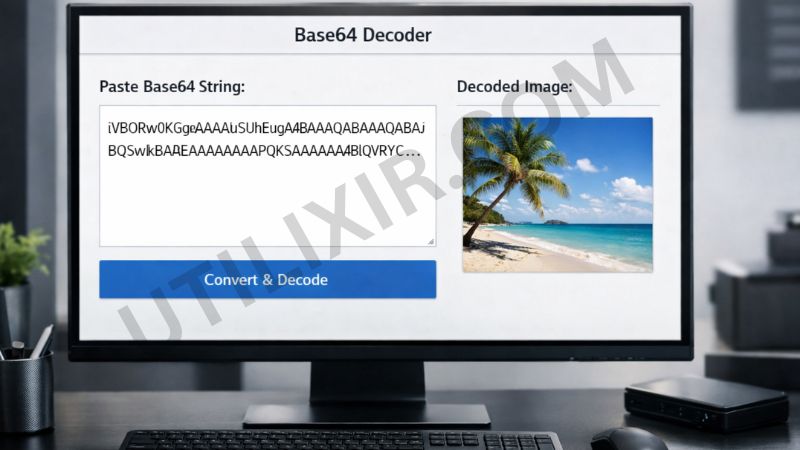
Base64 encoding is commonly used to embed image data directly into HTML, CSS, JavaScript, JSON, and APIs. While that is useful for development workflows, it is not convenient when you need the actual image file for editing, sharing, testing, or storing. With Utilixir’s Base64 to Image Generator, you can paste your encoded string and instantly turn it into a visible, downloadable image.
The tool is designed to keep the process simple, fast, and accessible from any device. There is no software installation, no account creation, and no unnecessary setup. Just paste the string and convert it. If you often work with encoded or image-based data, you may also find our Image to Base64, Base64 to Image, and Image Resizer tools helpful for managing different image conversion tasks more efficiently.
Key Features
1. Instant Base64 to Image Conversion - Paste your Base64 string and convert it into an image file within seconds. This is ideal when you need quick access to embedded image content.
2. Supports Common Image Formats - The tool can generate popular image outputs such as PNG and JPG, making the converted files easy to use across websites, apps, and design workflows.
3. No Registration Required - You can use the converter immediately without signing up or creating an account, which keeps the process quick and convenient.
4. Free to Use - Our Base64 to Image Generator is completely free, making it a practical option for developers, students, designers, and general users.
5. Secure and Private - Your Base64 data is processed securely, and your content is not stored or shared, helping protect sensitive or project-related information.
6. Browser-Based Tool - Everything works directly in your browser, so there is no need to install software or use technical tools locally.
7. Works Across Devices - Use the tool on desktops, laptops, tablets, or mobile phones. It is built to work smoothly wherever you need it.

How to Use the Tool
Copy your complete Base64 image string
Paste it into the input box
Click Convert to Image
Wait for the tool to decode and generate the image
Preview the result if available
Download the image file instantly
Why Choose This Tool Over Other Tools
Many Base64 converters online are either cluttered with ads, limited by usage restrictions, or built for technical users only. Utilixir’s Base64 to Image Generator focuses on speed, simplicity, and accessibility. It gives you a clean way to decode Base64 image strings without requiring registration, downloads, or advanced setup. That makes it a strong choice for users who want a fast and reliable experience.

Here is a simple comparison showing how our tool stands out:
User Testimonials
Alan M.
“I needed to pull an image from a JSON response, and this tool made it incredibly easy. Pasted the string, converted it, and downloaded it in seconds.”
Sara K.
“The interface is simple and clean. I did not have to sign up or deal with any confusing options. It just worked.”
Harrison R.
“I use Base64 data in frontend projects a lot, and this tool saves time whenever I need to inspect or export an image quickly.”
Mohan T.
“Very useful for development work. I also used the Image to Base64 tool on the same site, so having both options in one place is really convenient.”
Conclusion
Utilixir’s Base64 to Image Generator is a fast, simple, and secure way to convert encoded image strings into downloadable PNG or JPG files. It is free to use, works on any device, and does not require registration or software installation. Whether you are extracting images from code, reviewing embedded assets, or saving Base64 image data for later use, this tool helps you do it quickly and easily. If your workflow also involves reverse conversion or image adjustments, related tools like Image to Base64, Image to PDF and Image Resizer can help complete the process.
FAQs
1. What is Base64 encoding?
Base64 is a method of converting binary data, such as images, into text format. It is commonly used in web development, APIs, and embedded data workflows.
2. What image formats does this tool support?
The tool supports Base64 image data that can be converted into common formats such as PNG and JPG.
3. Is this Base64 to Image Generator free?
Yes, the tool is completely free to use.
4. Do I need to create an account to use it?
No, there is no sign-up or registration required.
5. Is my Base64 data stored online?
The tool is designed with privacy in mind, and your pasted data is processed securely.
6. Can I use this tool on mobile?
Yes, the converter works on smartphones, tablets, laptops, and desktop devices.
7. Why is my Base64 string not converting properly?
This usually happens when the Base64 string is incomplete, invalid, or contains formatting issues. Make sure you paste the full encoded data correctly.
8. Can I preview the image before downloading it?
Yes, the tool is designed to generate the image so you can view the result before saving it.
9. Who is this tool useful for?
It is especially useful for web developers, app developers, designers, testers, and anyone working with embedded image data.
10. Can I convert an image into Base64 too?
Yes, if you want to do the reverse process, you can use our Image to Base64 tool.
Convert Your Base64 to Image Instantly
Try Utilixir’s Base64 to Image Converter now and turn your encoded data into usable images in seconds.
Start Converting