Image to PDF Converter – Convert JPG & PNG Images to PDF Online Free
Need a quick way to turn images into a neat, shareable PDF? Our Image to PDF Converter makes it easy to combine multiple JPG and PNG files into one polished PDF document in seconds. Whether you are submitting homework, organizing business files, creating a digital portfolio, or saving scanned images in one place, this tool helps you do it without any hassle.
🖼️ Image to PDF Converter
Upload your JPG or PNG images and convert them into a single PDF file instantly.
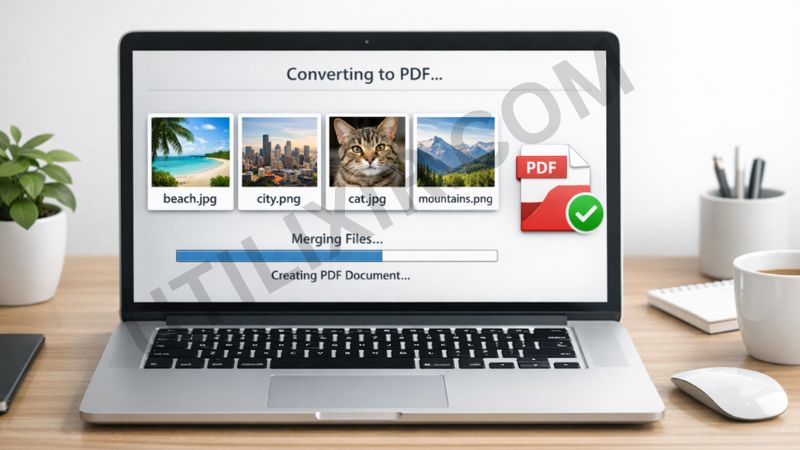
Instead of sending several separate image files, you can merge them into one clean PDF that is easier to store, print, and share. PDFs are widely accepted across devices and platforms, which makes them ideal for school submissions, office documents, records, and personal use. With Utilixir’s Image to PDF Converter, you can keep your images organized while maintaining a professional file format.
The tool is designed to be fast, simple, and accessible for everyone. There is no software to install, no account to create, and no complicated settings to deal with. Just upload your images and convert them instantly. If you often work with image files, you may also find our Image Resizer, PDF to Image Converter, and Image to Base64 tools useful for preparing, converting, and managing visual content more efficiently.
Key Features
1. Convert Multiple Images into One PDF - Upload several JPG or PNG files and combine them into a single PDF document. This is useful when you want all your pages, photos, or scanned files stored in one place.
2. Supports Popular Image Formats - The tool works with commonly used image formats like JPG, JPEG, and PNG, so you can convert most standard image files without needing extra preparation.
3. Fast Online Processing - The conversion happens quickly in your browser, helping you create your PDF within moments. It is ideal when you need results right away.
4. No Registration Required - You do not need to sign up or create an account to use the converter. Just upload your files and get your PDF instantly.
5. Free to Use - Our Image to PDF Converter is completely free, making it a practical option for students, professionals, and everyday users.
6. Secure File Handling - Your privacy matters. Files are processed securely, and your images are not stored longer than necessary, giving you peace of mind when converting personal or work-related files.
7. Works on All Devices - Use the tool on desktops, laptops, tablets, or smartphones. As long as you have a modern browser, you can convert images to PDF from anywhere.

How to Use the Tool
- Click Choose Images and upload your JPG, JPEG, or PNG files
- Select all the images you want to combine into one PDF
- Make sure your images are in the correct order before conversion
- Click Convert to PDF
- Wait a few seconds while the tool processes your files
- Download your finished PDF file instantly
Why Choose This Tool Over Other Tools
There are many image-to-PDF tools online, but most either limit free usage, require registration, add watermarks, or lock useful features behind a paid plan. Utilixir’s Image to PDF Converter keeps the process simple. It is free, fast, easy to use, and accessible without creating an account. That makes it a practical choice for people who want a smooth conversion experience without unnecessary steps.

Below is a simple comparison to show how our tool stands against other options:
User Testimonials
Arizona K.
“I had to submit scanned assignment pages in one PDF and this tool made it incredibly easy. No sign-up, no confusion, just quick results.”
Ugene R.
“I use it for office documents and receipts. Uploading multiple images and getting one PDF saves me a lot of time.”
Nortan S.
“I tried a few other tools before this, but this one felt cleaner and simpler. It worked perfectly on my phone too.”
Hamza T.
“The best part is that it is free and straightforward. I also used the Image Resizer before uploading, which made everything even easier.”
Conclusion
Utilixir’s Image to PDF Converter is a simple and reliable way to turn JPG and PNG files into a single PDF online. It is fast, free, secure, and easy to use on any device. Whether you need to organize scanned documents, share photo-based files, or prepare images for printing, this tool helps you do it in just a few clicks. And if you work with images often, related tools like Image Resizer, PDF to Image Converter, and Base64 to Image can help streamline your workflow even further.
FAQs
1. What image formats does this tool support?
The tool supports JPG, JPEG, and PNG files for conversion into PDF.
2. Can I combine multiple images into one PDF?
Yes, you can upload multiple images and merge them into a single PDF document.
3. Is this Image to PDF Converter free?
Yes, the tool is completely free to use.
4. Do I need to register before using the tool?
No, there is no sign-up or registration required.
5. Can I use this tool on mobile devices?
Yes, the converter works on phones, tablets, laptops, and desktops with a modern browser.
6. Will my uploaded images be stored online?
The tool is designed with privacy in mind, and your files are processed securely.
7. What is the best way to prepare images before converting them?
For best results, use clear, high-resolution images and arrange them in the order you want them to appear in the PDF. You can also use our Image Resizer first if you want more consistent page sizing.
8. Can I convert a PDF back into images later?
Yes, if you need to extract pages from a PDF as image files, you can use our PDF to Image Converter.
9. Is this tool good for students and office work?
Yes, it is useful for assignments, scanned notes, reports, forms, receipts, and many other personal or professional tasks.
10. What makes Utilixir’s tool different from others?
It focuses on what most users actually need: quick conversion, simple interface, no registration, free access, and easy use across all devices.
Convert Your Images to PDF Instantly
Try Utilixir’s Image to PDF Converter now and create a single, organized PDF from your images in seconds.
Start Converting