Convert PDF to Images Online Free | PDF to PNG Converter
Turn your PDF pages into clear, high-quality images in seconds with Utilixir’s PDF to Image Converter. This online tool helps you convert PDF to PNG quickly without installing software or creating an account. Whether you need document previews, shareable pages, presentation visuals, or image-based archives, this tool gives you a simple and reliable way to turn every PDF page into a separate image file.
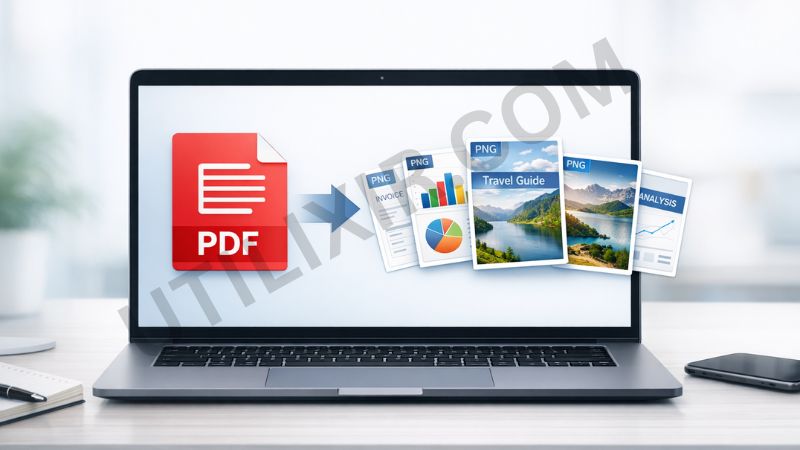
Utilixir’s PDF to Image Converter is built for users who want speed, clarity, and convenience in one place. Upload your file, let the tool process each page, and download your images in a format that works across websites, emails, presentations, and mobile devices. If you need to share a visual copy of a PDF, extract pages for design use, or create thumbnails for documents, this tool makes the process fast and smooth.
It is also a practical choice for students, office teams, designers, and business users who regularly work with PDFs. After converting your pages, you can continue your workflow with other helpful tools like Image Resizer to adjust image dimensions, Image to PDF to turn visuals back into a document, or more like Base64 to Image, and more if you need to prepare files for professional sharing. Everything stays simple, browser-based, and easy to access.
Key Features
High Quality PNG Output - Every page is converted into a sharp and clear PNG image. This makes the tool ideal for document previews, presentations, website uploads, and visual sharing.
Converts Every PDF Page - You can convert full PDF documents, not just one page at a time. This is useful for reports, eBooks, slide decks, invoices, manuals, and study material.
Fast Online Processing - The tool works directly in your browser, so you can upload, convert, and download within moments. No software installation is needed.
Easy Download Options - Download single-page images or get all pages together for easier file handling. This helps save time when working with multi-page PDFs.
No Registration Required - You can use the tool instantly without creating an account. This keeps the experience simple and removes extra steps.
Safe and Private - Your files are handled securely during processing. This is especially useful when working with personal, academic, or business documents.
Works on Desktop and Mobile - Use the tool on a laptop, tablet, or phone. It is designed for users who want flexibility across devices.
Great for Visual Workflows - Once your PDF pages are converted into images, you can edit, resize, share, or reuse them more easily in different formats and platforms.

How to Use the Tool
- Click Choose PDF File
- Upload the PDF you want to convert
- Start the conversion process
- Let the tool turn each PDF page into an image
- Preview the output pages
- Download individual images or all pages together
- Use the images in presentations, websites, emails, or storage archives
Why Choose This Tool Over Other Tools
Many PDF to image tools either limit free usage, reduce image quality, add unnecessary sign-up steps, or make batch conversion difficult. Utilixir’s PDF to Image Converter keeps the process simple. It focuses on what most users actually need: fast conversion, clear image output, easy downloads, and a smooth experience on any device.

It is a strong choice for anyone who wants a free PDF to image converter without the usual hassle. Instead of pushing users toward subscriptions or cluttered workflows, Utilixir gives you a practical tool that is quick to use and easy to understand.
Comparison Table
User Testimonials
“I needed a quick way to convert lecture PDFs into images for my notes. This tool made it very easy and the image quality was excellent.”
Student User, Jackson
“We use it to turn PDF pages into shareable visuals for presentations and internal updates. It saves time and works smoothly.”
Office Team User, Tim Sable
“I liked that I did not need to sign up or install anything. Just upload, convert, and download.”
Small Business User, Tina Banks
Conclusion
Utilixir’s PDF to Image Converter gives you a simple way to convert PDF files into high-quality PNG images without delays or extra steps. It is fast, secure, easy to use, and works well for both personal and professional needs. Whether you want to share document previews, save visual copies, or reuse pages in other formats, this tool helps you do it quickly and efficiently. For a smoother workflow, you can also pair it with tools like Image Resizer and Image to PDF.
FAQs
What does Utilixir’s PDF to Image Converter do?
Utilixir’s PDF to Image Converter turns each page of your PDF into a separate high-quality PNG image. It is useful when you want to share, preview, save, or reuse PDF pages as images.
What image format does this tool create?
This tool converts PDF pages into PNG images. PNG is a great format for keeping text, graphics, and page details clear.
Can I convert all pages of my PDF at once?
Yes. The tool is built to convert every page in your PDF into separate image files, so you do not have to process pages one by one.
Can I use this tool for multi-page PDFs?
Yes. Utilixir’s PDF to Image Converter supports multi-page PDF files and creates an image for each page.
Will the converted images keep the quality of my PDF?
The tool is designed to produce clear, high-quality PNG output, keeping your pages sharp and easy to read.
Is this tool free to use?
Yes. You can use Utilixir’s PDF-to-Image Converter online for free, without paying or signing up.
Do I need to register before converting a PDF?
No. You can upload your PDF and convert it right away without creating an account.
Can I use the tool on mobile devices?
Yes. The tool works on mobile phones, tablets, laptops, and desktop browsers, making it easy to convert PDFs from anywhere.
Is my PDF file stored after conversion?
No. The tool is designed for secure and temporary processing, so your files are not kept longer than needed for conversion.
What kind of PDFs can I convert with this tool?
You can convert most standard PDF files, including documents, presentations, reports, invoices, worksheets, and other page-based files.
Is there a page limit for this PDF to Image Converter?
The tool supports multi-page files, but for smoother performance it is best to use PDFs with a reasonable number of pages, such as under 50 pages.
Why should I convert a PDF to images instead of keeping it as a PDF?
Image files are easier to use on websites, social media, preview sections, presentations, and design projects. They also help when you only need visual pages instead of an editable document.
Can I share the converted images online?
Yes. Once your PDF pages are converted into PNG files, you can use them on websites, in emails, presentations, or social media posts.
Can I convert the images back into a PDF later?
Yes. After using this tool, you can use an Image to PDF tool if you want to turn the images back into a PDF document.
What should I do after converting my PDF into images?
That depends on your goal. You can share the images directly, resize them with an Image Resizer, combine them back with Image to PDF, or use them in reports, previews, or presentations.
Convert Your PDFs to Images Instantly
Try Utilixir's PDF to Image Converter now and turn your documents into high-quality images for easy sharing and archiving.
Start Converting