Image to Base64 Converter
Encode JPG, PNG, GIF & WEBP to Base64 Online Free
Need to embed images directly into your code without using separate image files? Our Image to Base64 Converter allows you to quickly convert images into Base64 strings that can be used in HTML, CSS, JSON, and APIs. Whether you are a developer, designer, or working on a web project, this tool helps simplify image handling and integration.
🖼️ Image to Base64 Converter
Upload an image to get its Base64 string for embedding in HTML, CSS, or JSON.
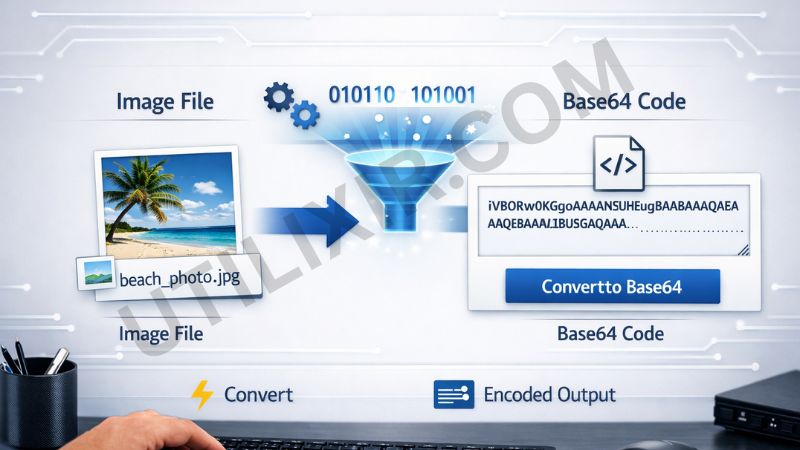
Base64 encoding is widely used in modern web development to embed images directly into code. This eliminates the need for external image files and can reduce server requests in certain use cases. With Utilixir’s Image to Base64 Converter, you can instantly transform your images into encoded strings that are ready to use in your projects.
The tool is built for speed and ease of use. There is no need to install software or create an account. Simply upload your image and get the encoded result instantly. If you also need to reverse the process or manage images further, you can use related tools like Base64 to Image, Image Resizer, or PDF to Image Converter to streamline your workflow.
Key Features
1. Instant Image to Base64 Conversion - Upload your image and generate a Base64 string within seconds, making it easy to embed images directly into code.
2. Supports Multiple Image Formats - The tool works with popular formats including JPG, PNG, GIF, BMP, and WEBP, ensuring compatibility with most image types.
3. No Registration Required - You can use the tool immediately without creating an account, saving time and effort.
4. Free to Use - The converter is completely free, making it accessible for developers, students, and professionals.
5. Secure and Private - Your uploaded images are processed securely and are not stored or shared, protecting your data.
6. Browser-Based Tool - Everything runs directly in your browser, so there is no need to download or install anything.
7. Works Across All Devices - Use the tool on desktops, tablets, or smartphones with a modern browser.

How to Use the Tool
Click Choose Image and upload your file
Select a supported format (JPG, PNG, GIF, BMP, or WEBP)
Click Convert to Base64
Wait a few seconds for the encoding process
Preview the result if available
Copy the generated Base64 string for your project
Why Choose This Tool Over Other Tools
Many online converters either limit supported formats, require sign-ups, or are filled with unnecessary complexity. Utilixir’s Image to Base64 Converter is designed to keep things simple, fast, and accessible. It allows you to encode images instantly without restrictions or technical barriers, making it ideal for both beginners and professionals.

Here is a quick comparison:
User Testimonials
Arnold Z.
“I needed Base64 strings for embedding images in CSS, and this tool made it super easy. Fast and clean interface.”
Holly S.
“No sign-up, no confusion. Just upload and copy. Exactly what I needed.”
Brittany H.
“I use this regularly in my development workflow. It saves time when dealing with embedded images.”
Sarah M.
“Very useful tool. I also used the Base64 to Image tool alongside it, and both worked perfectly.”
Conclusion
Utilixir’s Image to Base64 Converter provides a fast, reliable, and user-friendly way to encode images into Base64 strings. It is free, secure, and works directly in your browser without any setup. Whether you are embedding images in code, optimizing workflows, or handling image data, this tool makes the process quick and efficient. For complete flexibility, you can pair it with tools like Base64 to Image and Image Resizer to handle both encoding and image management tasks.
FAQs
1. What is Base64 encoding?
Base64 is a method of converting binary data, such as images, into text format for easy embedding in code.
2. What image formats are supported?
The tool supports JPG, PNG, GIF, BMP, and WEBP images.
3. Is this Image to Base64 Converter free?
Yes, it is completely free to use.
4. Do I need to sign up?
No, there is no registration required.
5. Is my uploaded image stored online?
The tool processes files securely and does not store your images.
6. Can I use this tool on mobile devices?
Yes, it works on smartphones, tablets, and desktops.
7. Why would I use Base64 instead of image files?
Base64 allows you to embed images directly into code, which can be useful for certain web and development scenarios.
8. Is there a size limit for images?
For best performance, it is recommended to use optimized image sizes.
9. Can I convert Base64 back into an image?
Yes, you can use our Base64 to Image tool for reverse conversion.
10. Who is this tool useful for?
It is especially helpful for developers, designers, and anyone working with embedded image data.
Convert Your Image to Base64 Instantly
Try Utilixir’s Image to Base64 Converter now and turn your images into Base64 strings in seconds.
Start Converting