Image Resizer Tool - Resize JPG Images Online - utilixir.com
Free Image Resizer Online for JPG Images
Images shape how your content looks and performs online. A poorly sized image can slow down your website, distort layouts, or fail to meet platform requirements. That is where a reliable image resizer becomes essential.
Utilixir’s Image Resizer tool gives you a simple way to resize JPG images directly in your browser. No downloads. No complicated steps. Just upload your images, set the size, and get perfectly optimized visuals ready for use.
🖼️ Image Resizer Tool
Upload your JPG images and resize them to your desired dimensions instantly.
Processing your images, please wait...
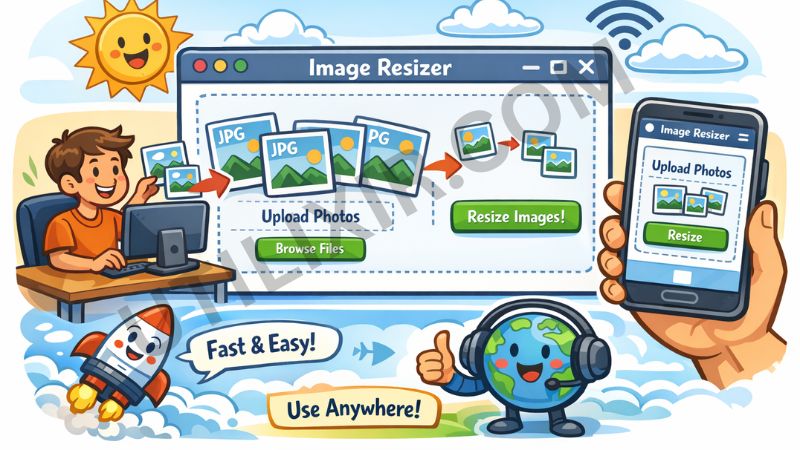
Whether you are managing a website, posting on social media, or preparing product images, correct image dimensions make a noticeable difference. Faster load times, better user experience, and cleaner presentation all start with properly resized images. If your work also involves PDFs, our PDF to Image tool allows you to quickly extract images from PDF files and resize them for use in your project.
This tool is designed for both beginners and professionals who want quick results without compromising quality. From single uploads to batch resizing, everything works smoothly. If you need to convert your images into Base64 format for web development or storage, our Image to Base64 tool makes that process seamless, allowing you to embed your images in web code effortlessly.
Key Features of Utilixir Image Resizer
-
Instant Image Resizing
Resize JPG images in seconds directly in your browser without delays or processing queues. -
Batch Image Processing
Upload multiple images at once and resize them together to save time and effort.
- Custom Width and Height Control
- Set exact pixel dimensions to match platform requirements for websites, ads, or social media.
-
High-Quality Output
Maintains clarity and sharpness while adjusting size so your images remain visually appealing. -
Secure Browser-Based Processing
All resizing happens locally on your device. Your files are never uploaded or stored. -
No Signup Required
Start using the tool immediately without creating an account or entering personal details. -
Free Unlimited Usage
Resize as many images as you need without restrictions or hidden charges.
How to Use the Image Resizer Tool
-
Upload Your Images
Click on “Choose JPG Images” and select one or multiple files from your device. -
Enter Dimensions
Input your desired width and height in pixels based on your requirement. -
Resize Images
Click on “Resize Images” to start the process. The tool will instantly adjust all files. -
Preview Results
Check resized images before downloading to ensure they meet your expectations. -
Download Files
Download images individually or get all files in a ZIP for convenience.
Helpful Tip:
Use standard sizes for platforms like Instagram, websites, or marketplaces to avoid distortion and improve visual consistency.
Once resized, download your images. If you need to convert any Base64-encoded image back into a standard image format, you can use our Base64 to Image tool. This allows you to take Base64 strings and turn them into fully functional images ready for use in your project.
Why Choose Utilixir Image Resizer Over Others
Choosing the right tool saves time and avoids unnecessary complexity. Utilixir focuses on speed, simplicity, and privacy while delivering consistent results.

Key Advantages
- No login or account needed
- Faster processing compared to most tools
- Works on mobile and desktop
- No file uploads to external servers
- Clean and distraction-free interface
What Users Say
Ali R. – Blogger
“I needed a quick way to resize blog images without losing quality. This tool works perfectly and saves me a lot of time.”
Sarah M. – Graphic Designer
“Batch resizing is smooth and fast. I like that everything stays private on my device.”
Usman K. – Ecommerce Seller
“Very useful for product images. Clean interface and no unnecessary steps.”
Conclusion
A good image resizer should be fast, reliable, and easy to use. Utilixir delivers all of that in one place. Whether you are resizing a single image or handling multiple files, the process remains smooth and efficient.
If you want better-performing visuals without dealing with complex software, this tool is built for you.
FAQs
What is an image resizer?
An image resizer is a tool that allows you to change the dimensions of an image by adjusting its width and height. It helps optimize images for websites, social media, and other platforms without affecting their visual quality.
Which tool is used to resize the image?
You can use an online tool like Utilixir Image Resizer to quickly resize JPG images directly in your browser. It does not require installation and works on both desktop and mobile devices.
Is it safe to use an image resizer?
Yes, it is safe when the tool processes images locally in your browser. Utilixir ensures your images are not uploaded or stored on any server, keeping your data completely private.
Which is the best image resizer?
The best image resizer is one that is fast, easy to use, and maintains image quality. Utilixir stands out by offering batch resizing, custom dimensions, and secure processing without requiring signup or payment.
Can I resize multiple images at once?
Yes, you can upload multiple JPG images and resize them in a single batch. This saves time and ensures consistent dimensions across all files.
Can I convert PDF pages into images?
Yes, you can! With our PDF to Image tool, you can convert PDF pages into high-quality images, which can then be resized and optimized for use in any project.
Will resizing reduce image quality?
Resizing may slightly affect quality depending on the original resolution, but using high-quality images ensures the best results. Utilixir is designed to preserve clarity as much as possible.
Do I need to install any software?
No installation is required. The tool works entirely in your browser, so you can start resizing instantly.
Can I use the image resizer on mobile?
Yes, the tool is fully responsive and works smoothly on smartphones and tablets.
Optimize Your Images Effortlessly
Start resizing your JPG images now and make your digital content stand out. Fast, secure, and free—try Utilixir's Image Resizer today!
Resize Your Images